Your profile picture
Show a photo, one of the dogs, or one of sixteen creatures.
Your picture shows in Jam, on your profile and beside what you share.
Change it
- Go to Settings ▸ Account ▸ Profile. In Jam, Sharing has it too, as Profile picture.
- Every picture shows at once, under a large preview. Pick one:
- Your photo, once you upload one.
- Prince, everyone's picture until they choose. Prince and Reyna are two dogs, Songstress's own.
- Sixteen creatures: Owl, Songbird, Fox, Magpie, Raccoon, Pup, Cat, Hedgehog, Bear, Otter, Frog, Penguin, Rabbit, Axolotl, Fawn and Bat.
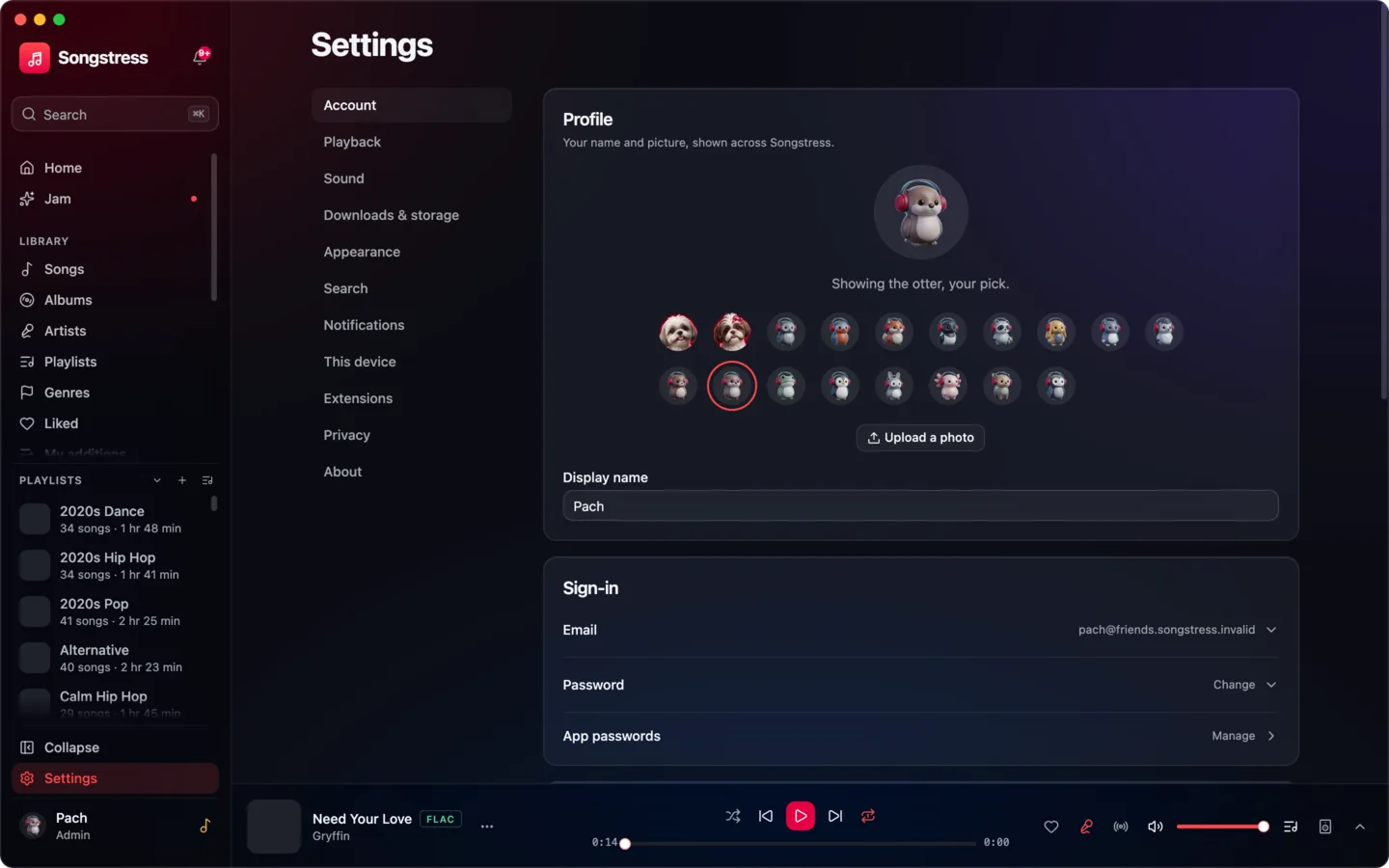
To use a photo, select Upload a photo. A picture you pick shows instead of your photo until you pick your photo again.
Who sees your photo
Only people you share your profile with see your photo or the picture you picked. Everyone else sees Prince. See Share your listening.