Share links
Send a song, an album, an artist or a playlist as a link anyone can open and play, no account needed.
Share something
- On the web and desktop, choose Share… from a song's menu, or select Share on a playlist. Choose how long the link lasts in Link expires, from an hour to no expiry (7 days unless you change it), then select Copy link.
- On the phones, choose Share… on a song, an album, an artist or a playlist, and send it from the share sheet.
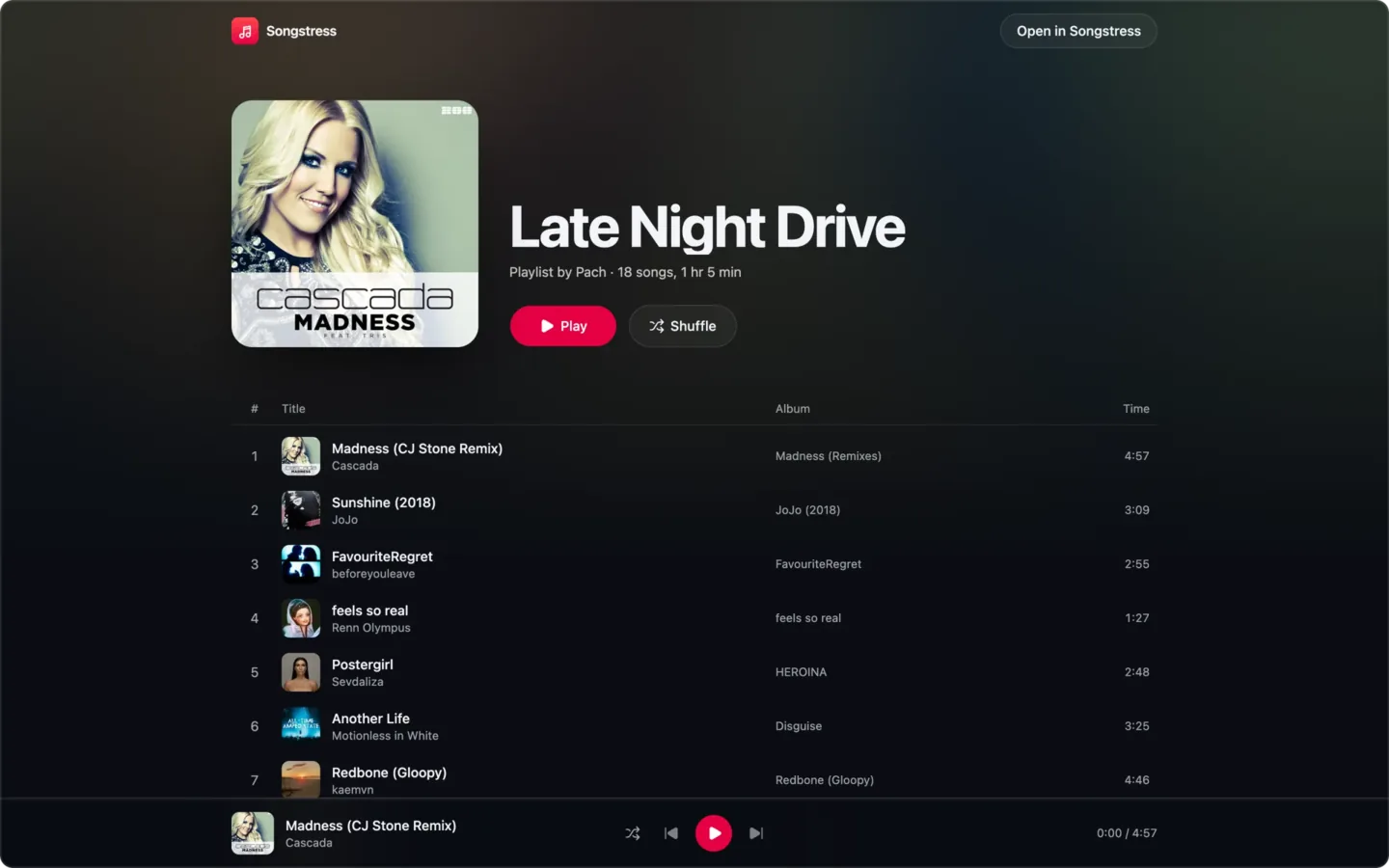
What they see
The link opens a player in any browser: they can play, pause, shuffle, skip and seek, with no account. Their plays don't count in your stats. When a link has expired, it says so.
Stop sharing
- Go to Settings ▸ Privacy ▸ Your shared links.
- Select Stop sharing beside the link.
The link stops opening for everyone who has it.
For admins
Share links work only while Allow public links is on, in Manage ▸ Server ▸ Access. Turning it off stops every link at once. Everyone's links lists them all.