Acquisition
Let Songstress find the music people ask for, and upgrade lossy songs to lossless.
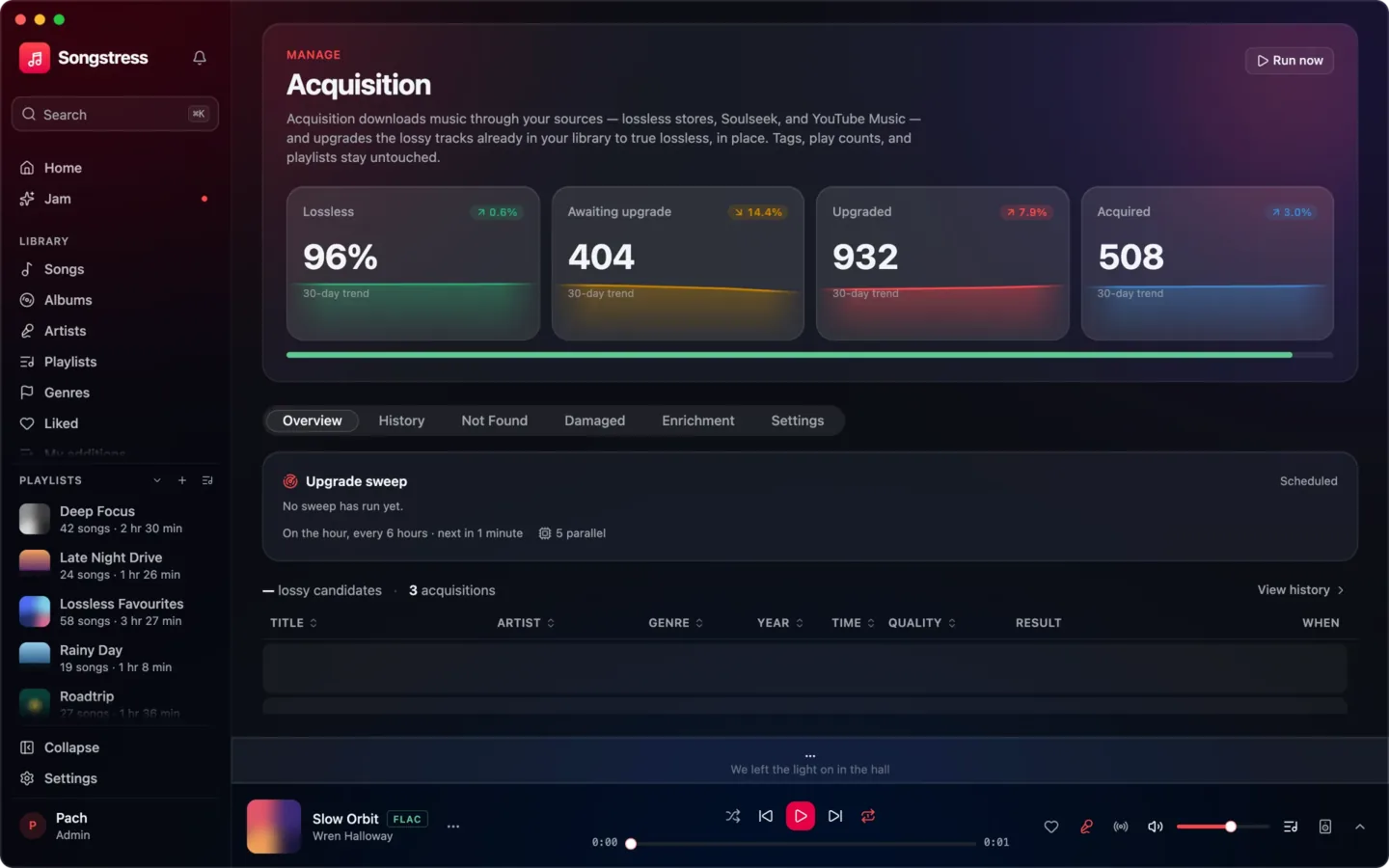
Acquisition downloads music through your sources, lossless stores, Soulseek and YouTube Music, and upgrades the lossy songs already in your library to true lossless, in place. It lives in Manage ▸ Acquisition.
What it does
- Adds what people ask for. When someone selects Add to Library on a song, an album or an artist, Acquisition finds it and files it in your library. See Search and add music.
- Follows artists. New releases from artists people follow arrive on their own.
- Upgrades your library. A sweep finds lossy songs and replaces them with lossless copies, keeping their place in playlists and liked songs.
Run now starts it at once.
The tabs
- Overview: what is happening now.
- History: what it found and added.
- Not Found: what it couldn't find yet.
- Damaged: files that won't play. See Library scans and damaged files.
- Enrichment: where lyrics and details come from.
- Settings: how it works.
Settings
- Followed Artists: Check now looks for new releases.
- Upgrade sweep: Sweep on a schedule (off until you turn it on; every 6 hours once it is), Upgrade to (Lossless (CD or better) unless you change it), and Keep replaced files (days), 30 unless you change it.
- Acquisition services: turn sources on or off, and drag them into the order to try them. Check every source now tests them all.
Qobuz, NetEase and Soulseek are on until you change them. YouTube Music is off. Personal accounts for Qobuz, NetEase, Tidal and Bandcamp stay off until someone connects one.
Members
Members can add music and follow artists, within the limits you set. What they add shows in their My additions and in Activity.