Reach your server from anywhere
Give people one address to use, and let the apps move between home, a tailnet and a public domain.
Songstress answers on http://your-server:8090. To reach it away from home, people use another address you set
up: a tailnet, a domain behind a reverse proxy or a tunnel, or a forwarded port. Any of them works with Songstress.
Set the Public URL
The Public URL is the address people use, like https://music.example.com. Invite links, password resets, sign-in
codes and Spotify's sign-in all point there.
- Go to Manage ▸ Server ▸ Access.
- Enter the address under Public URL and save.
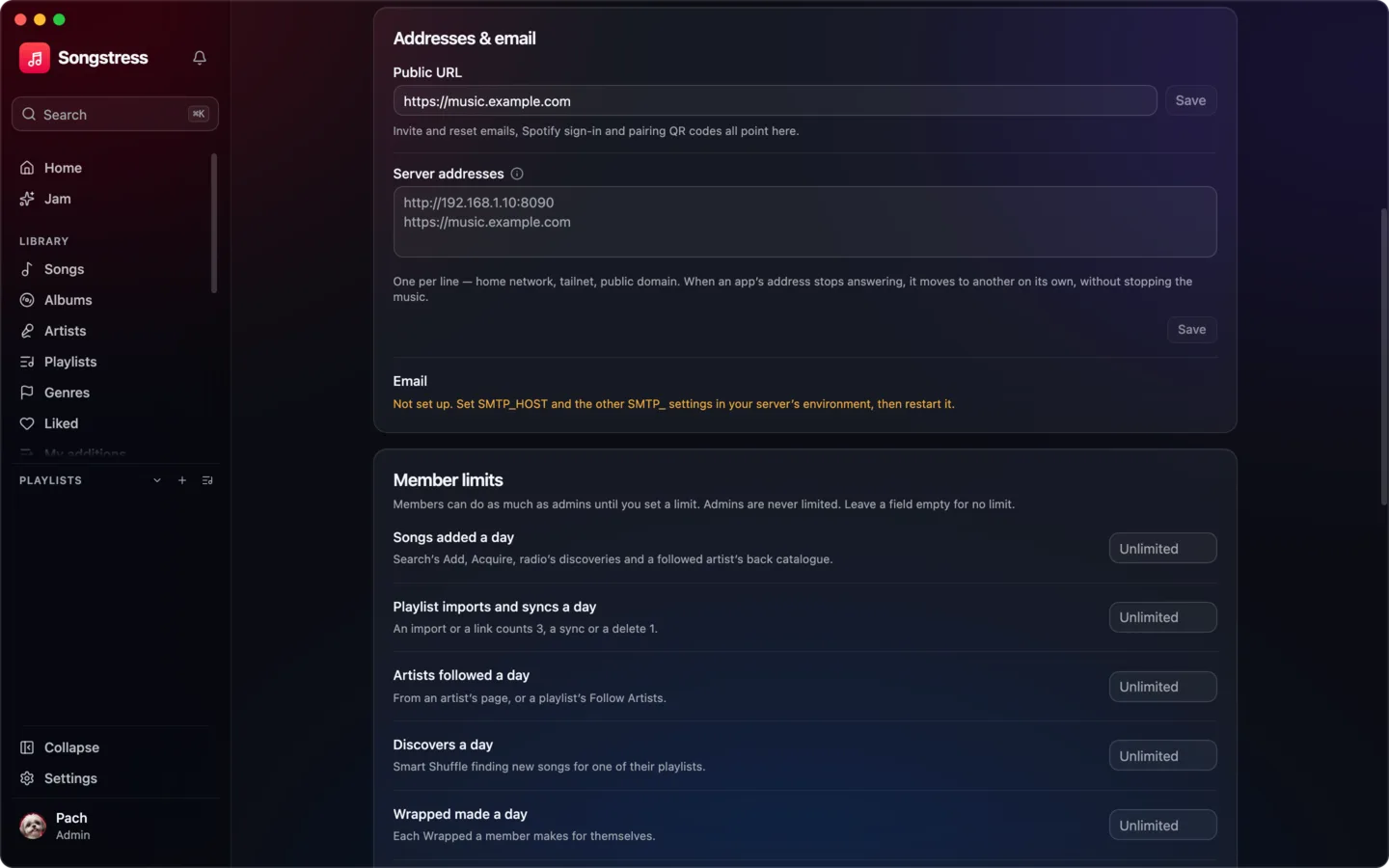
If you set SONGSTRESS_PUBLIC_URL in your .env, the server uses that one instead, every time it starts.
List every address
Under Server addresses, list each address your server answers on, one per line: your home network, your tailnet, your public domain. Songstress checks each one every 5 minutes, marks it Reachable or not, and tells you when one goes down.
The desktop and phone apps use the list to stay connected:
- They check the addresses when they open, when the network changes, and when the server stops answering.
- They only move to an address that proves it is your server.
- The fastest one wins. If two are as fast, the home network comes first, then the tailnet, then the public address.
- A connection that started on
https://never moves to plainhttp://. - The music keeps playing while they switch.
On any device, Settings ▸ This device ▸ Connected server shows the address in use, and the others it can reach.
Behind a reverse proxy or a tunnel
Pass everything through to port 8090, and allow WebSocket upgrades, which Jam voice uses when it can't connect directly. See Set up Jam voice.