Users and roles
Invite people, choose what they can do, and block or remove an account.
Everything here is in Manage ▸ Users, on the Users tab.
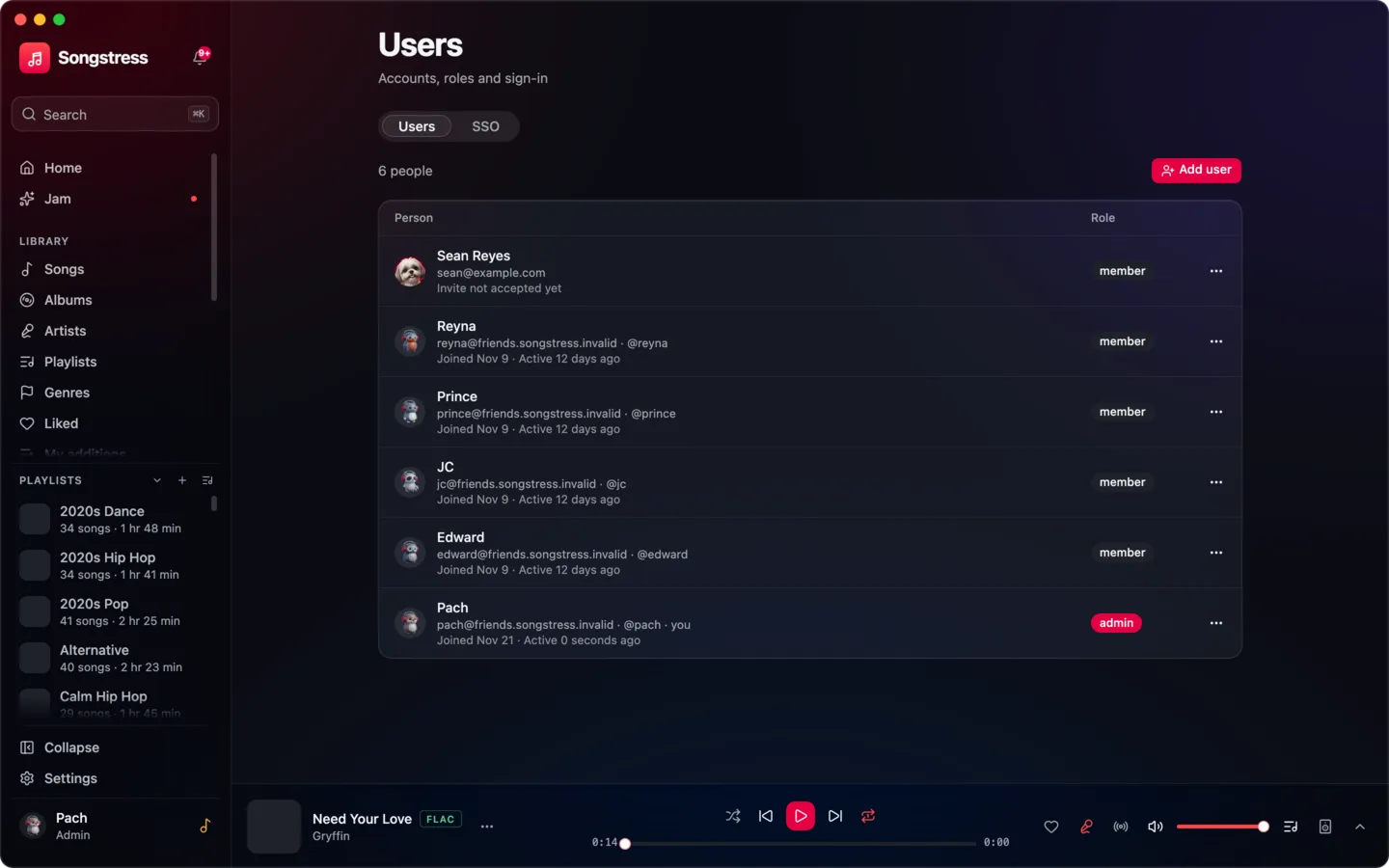
Roles
- Member: listens, with their own library, stats and Wrapped.
- Admin: also manages the server and its people.
To change someone's role, username or display name, choose Edit user from their row's menu. On the phones, it is in Settings ▸ Users: tap the person, then Edit user.
Invite someone
Select Invite someone. See Invite people for the whole flow.
Help someone back in
From their row's menu, choose Get password reset link. It works once, for 24 hours. Send it to them, or select Email the link if your server can send email.
When your server can send email, people can also select Forgot password? on the sign-in page.
Block someone
Block signs them out everywhere and keeps them out until you select Unblock. Their account, history and playlists stay as they are.
Remove someone
Delete user removes their account, after you type to confirm. It deletes their history, stats, Wrapped, likes, ratings, play counts and app passwords. The music in your library stays.
You can't block, demote or delete the last admin who isn't blocked.
Set limits for members
In Manage ▸ Server ▸ Access ▸ Member limits, you can cap how much members add to the library and preview each day, and how often they search. There are no limits until you set them, and admins are never limited.