Seed it from your services
Bring your playlists and liked songs from Spotify, Apple Music, Tidal or YouTube Music, and let Songstress fetch what you don't have.
The quickest way to a big library is the music you already chose somewhere else. Move your playlists and liked songs from Spotify, Apple Music, Tidal or YouTube Music, and Songstress matches each song to your library and fetches the ones you don't have yet. Your playlists arrive as Songstress playlists, and the new songs arrive in the library for everyone on your server.
Everyone can move their own music. An admin can also move a whole server at once.
Move your music

Choose where your music is now
- Spotify, Apple Music, Tidal or YouTube Music: select Move my music. Songstress opens songstress.app's mover, which reads your playlists and liked songs there and sends them straight to your server.
- The music server you used before: sign in to it, and choose what comes over.
- A migration file you saved from the mover earlier: drop it on Import a migration file.
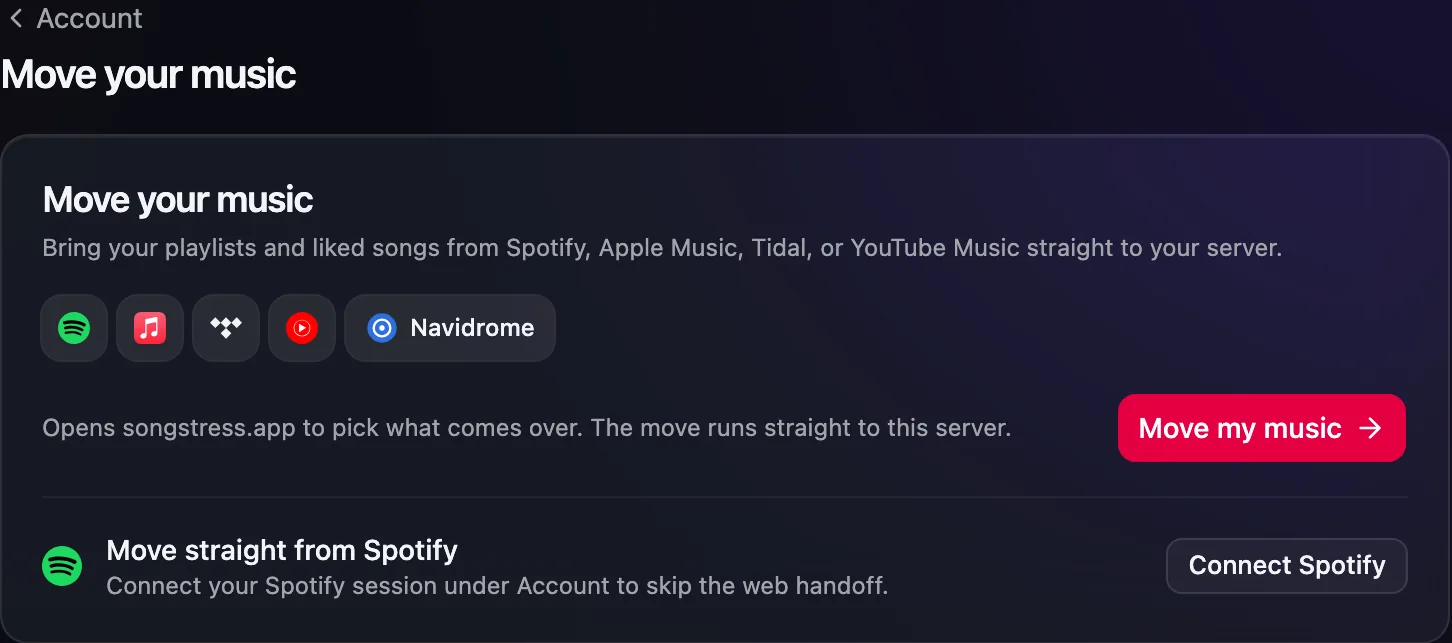
With your Spotify session connected in Settings ▸ Account, Move from Spotify skips the mover and starts right away.
Choose what comes over
The mover takes stock of your playlists and likes first, then you pick the ones to bring.
Let it bring your music home
Songstress matches each song to your library and fetches the rest. Your migrations shows each move and how it went. When it's done, it says how many songs are still downloading: they join your playlists as they arrive.
Bring in one playlist from a link
For a single playlist, open Playlists, select Import from link, and paste a Spotify, Apple Music or ListenBrainz link to a playlist or an album. Songs you don't have yet join as they arrive.
Choose Sync now, or set a Sync schedule, to keep it in step with its source. See Playlists.
Daily limits
Your admin can set a daily limit on what members add and import. Admins have no limits. See Users and roles.
Move everyone at once
Admins moving a whole server from the music server they used before can bring everyone over in one go. In Move your music, upload the old server's database file with Upload and read, then match each of its listeners to a Songstress account. The setup's Moving in step leads to the same place.