Habits that make it better
Small things you do while listening that teach radio your taste, keep your Jam lively, make Wrapped worth sharing and keep music playing offline.
Once your library is full, the way you listen does the rest. These habits take a second each, and every one of them shapes what Songstress plays next.
Start from radio, not from shuffle
Radio plays songs that sound like where you started, from your whole library. Start one from a song you love, from an artist, or from an album: choose Track Radio, Artist Radio or Album Radio in its menu.
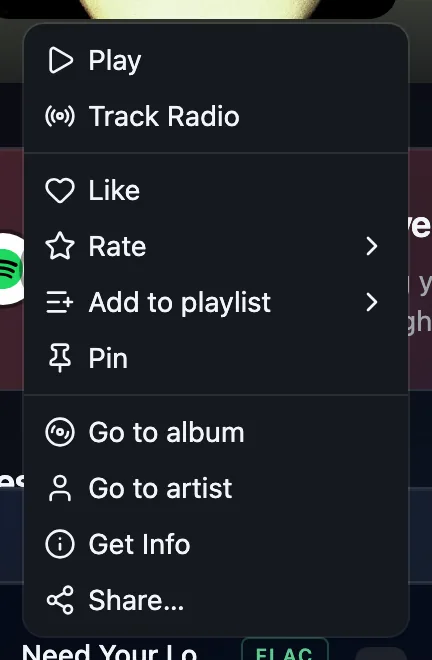
With Auto DJ on, the music keeps going in the same spirit when your queue ends. See Radio, Auto DJ and Smart Shuffle.
Turn shuffle on twice
The second press of shuffle is Smart Shuffle: your songs in shuffle, with a song you might like after every three. Under a playlist, More like this shows songs that fit it, and Smart Shuffle plays those first.

Say Not for me
When radio or Smart Shuffle plays something that doesn't fit, choose Not for me in its menu. On the song that's playing, it skips it too. Songstress won't suggest it again, and you can undo it from the note it leaves.
Choose where radio looks
In Settings ▸ Playback ▸ Radio & recommendations, order the sources radio draws from, top first. Two switches below them decide how far it reaches:
- Include songs you don't have yet lets radio play songs from outside your library.
- Add songs radio plays to your library keeps the ones it found, so your library grows while you listen.
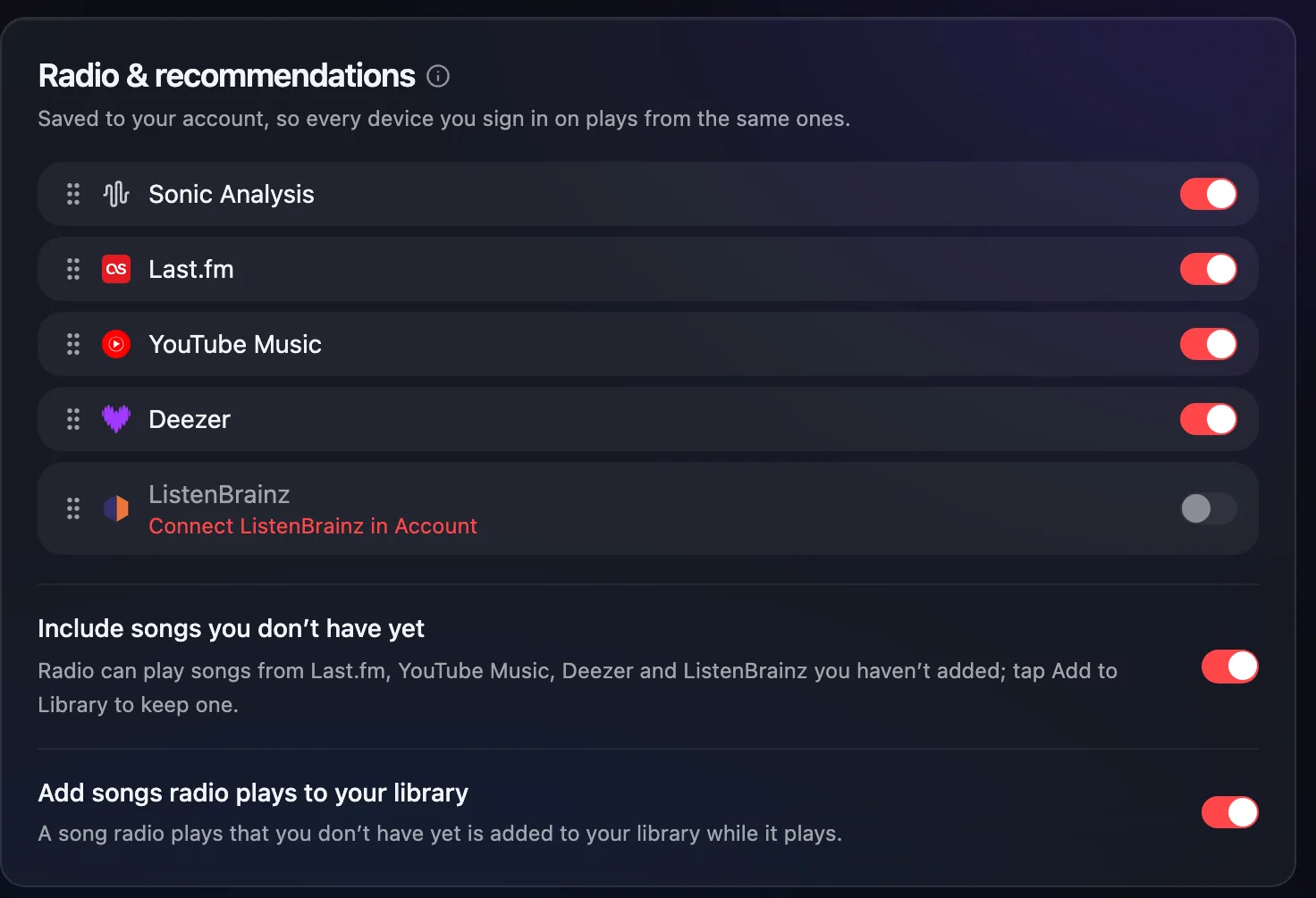
Both are on until you change them, and they're saved to your account, so every device uses them.
Share in Jam
Share what you play in Jam, and the people on your server see what you're playing and can listen along with you, in sync.
Listen enough for a Wrapped
Your server makes your Wrapped as each period ends: weekly, monthly or yearly, as you or your admin chose. A banner on Home tells you it's ready. A period with fewer than five listens is skipped, so a quiet week gets none.

Download before you travel
Downloads play with no connection at all. On the desktop app, choose Download for offline on a playlist, or Download all on an album or an artist. On the phones, choose Download All. With Download upcoming songs on, the next songs in your queue are kept ready too. See Downloads and offline.